Cafans Journal
Stories & FindsThe Complete English CAFANS Guide: Navigating HubBuy for Smarter Shopping
The Complete English CAFANS Guide: Navigating HubBuy for Smarter Shopping
If you have spent any time in online shopping communities, you have probably seen the term CAFANS mentioned alongside forwarder services, agent platforms, and spreadsheet-based hauls. This English CAFANS guide explains what the acronym stands for, how it fits into the HubBuy ecosystem, and how to use tools like a HubBuy spreadsheet, a HubBuy guide, HubBuy product links, and a HubBuy shopping guide to build a smarter, more organized buying routine.
What Does CAFANS Mean?
CAFANS is a community shorthand used by international shoppers to describe the full workflow of buying from overseas marketplaces and reshipping goods. Each letter represents a stage: C for choosing items, A for adding them to a cart or agent, F for forwarding and consolidation, A for assessing quality and shipping options, N for negotiating or noting fees, and S for shipping and settling the final invoice. Together, these stages form a repeatable checklist that keeps a haul organized from first product link to final delivery.
The framework is popular because it removes guesswork. Instead of improvising, shoppers follow the same sequence every time, which reduces mistakes such as forgotten items, duplicated orders, or unexpected consolidation charges.
Why HubBuy Fits the CAFANS Workflow
HubBuy is a shopping and agent platform that aligns naturally with each CAFANS stage. You can browse categories, copy product links into an agent cart, consolidate multiple parcels, and track shipments in one dashboard. Because the platform supports multiple marketplaces, the CAFANS method becomes a single, unified process rather than a patchwork of separate tools.
Many experienced users pair the platform with a HubBuy spreadsheet. This is a simple tracking sheet where each row holds a product link, size, color, quantity, price, and the corresponding CAFANS stage. A spreadsheet turns a scattered wishlist into a structured haul plan and makes it easy to compare costs before checkout.
Building Your First HubBuy Spreadsheet
A well-designed spreadsheet is the backbone of an efficient haul. Start with columns for item name, category, product link, variant details, unit price, quantity, subtotal, estimated weight, and shipping method. Add a status column that mirrors the CAFANS stages so you always know whether an item is chosen, added, forwarded, assessed, noted, or shipped.
Use formulas to total your subtotal and estimated shipping. Conditional formatting can highlight items that exceed your budget or that have been sitting in the cart too long. When you shop during sales, duplicate the sheet and label it with the event name so you can compare hauls over time. This habit alone can save a meaningful amount across a year of shopping.
Using a HubBuy Guide Effectively
A HubBuy guide is most useful when it answers specific questions: how consolidation works, how volumetric weight is calculated, which shipping lines accept which categories, and how refunds are handled. Read the guide before you build a cart, not after. Knowing the rules in advance helps you avoid restricted items, choose the right shipping line, and estimate the final landed cost rather than just the item price.
Keep a short list of the guide sections you reference most often—fees, shipping restrictions, and return policies—and note the page numbers in your spreadsheet. Over time you will build a personal reference that is faster than searching the full guide each session.
Organizing HubBuy Product Links
HubBuy product links are the raw material of any haul. Save every link in a dedicated folder or note, then copy them into your spreadsheet with a short description. Label links by category, such as apparel, footwear, accessories, home goods, electronics accessories, bags, and stationery, so you can filter quickly when a sale starts. Avoid relying on browser bookmarks alone; links rot, listings expire, and sellers change variants. A spreadsheet with a screenshot or saved image is more durable.
When sharing links with friends or a buying group, include the variant and size in the message. This small step prevents the most common agent errors and speeds up order confirmation.
Following a HubBuy Shopping Guide
A HubBuy shopping guide usually covers category-specific advice: sizing charts, seller ratings, material descriptions, and quality expectations. Use it to set realistic expectations before ordering. Check seller ratings, read recent reviews with photos, and compare measurements rather than relying on tag sizes. For electronics accessories, confirm voltage and plug standards. For apparel, compare a garment you already own against the listed measurements.
The shopping guide also helps with timing. Ordering early in a sale reduces the risk of stock-outs, while waiting for consolidation windows can reduce shipping costs. Balance both factors and record your decisions in the spreadsheet so future hauls benefit from past experience.
A Practical CAFANS Checklist
- Choose: Shortlist items and verify seller ratings.
- Add: Copy product links into the agent cart with variant details.
- Forward: Consolidate parcels and confirm warehouse receipt.
- Assess: Review quality photos and choose a shipping line.
- Note: Record fees, coupons, and any service charges.
- Ship: Pay the invoice, track the parcel, and log delivery dates.
Run this checklist for every haul and keep the results in your spreadsheet. Patterns will emerge: which categories ship cheaply, which sellers pack well, and which shipping lines are reliable during peak season.
Common Mistakes to Avoid
New shoppers often skip the assessment stage and pay for shipping before checking consolidation options. Others ignore volumetric weight, which can make a light but bulky parcel expensive. Some forget to record service fees, so the final invoice feels surprising. A few order restricted items without reading the guide and face delays or returns. Each of these mistakes is avoidable with a spreadsheet and a consistent CAFANS routine.
Final Thoughts
The CAFANS method is simple, but its value comes from repetition. Combine it with HubBuy, a HubBuy spreadsheet, a HubBuy guide, HubBuy product links, and a HubBuy shopping guide, and you gain a repeatable system for planning, tracking, and shipping overseas purchases. Start with a small haul, refine your spreadsheet, and let each order teach you something. Over time, the process becomes fast, predictable, and far less stressful.
Editor's selection
Popular Products

Shoes Ph076 Breathable Running Shoes | CSSBuy spreadsheet | LoongBuy spreadsheet - 136150

Men's Casual Shoes | CSSBuy spreadsheet | Kakobuy spreadsheet | Rizzitgo spreadsheet - 135435

Casual Shoes | Kakobuy spreadsheet | Hubbuycn spreadsheet | CNShopper spreadsheet - 136046

DS Slippers | Wheebuy spreadsheet | LoongBuy spreadsheet | Lovegobuy spreadsheet - 135724

Accessories | UIDBuy spreadsheet | Fishgoo spreadsheet | Oopbuy spreadsheet - 140922
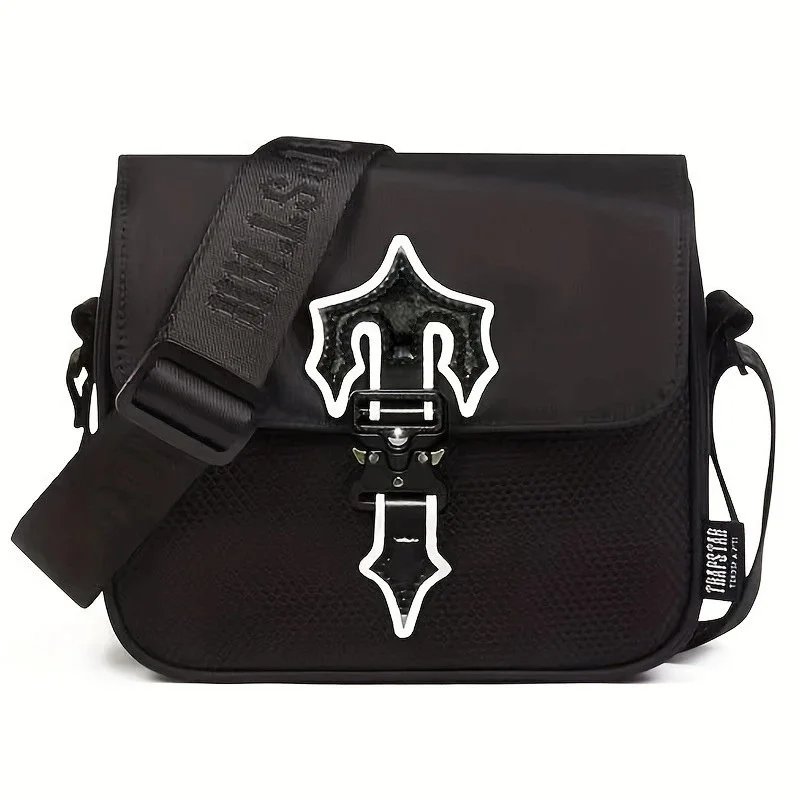
Trpstar Bags | LoongBuy spreadsheet | OOTDBuy spreadsheet | BBDBuy spreadsheet - 136524

Socks SP2.0 and 3XL Footwear Selection | Kakobuy spreadsheet | iTaoBuy spreadsheet - 152125