Cafans Journal
Stories & FindsCAFANS Guide: Mastering Spreadsheets for Shopping and Product Comparison
CAFANS Guide: Mastering Spreadsheets for Shopping and Product Comparison
Welcome to the ultimate CAFANS guide on using spreadsheets to streamline your shopping and product comparison tasks. Whether you're a novice or a seasoned spreadsheet user, this guide will help you harness the power of spreadsheets to make smarter purchasing decisions. We'll cover everything from setting up a shopping spreadsheet to using an agent shopping spreadsheet for efficient procurement. Let's dive in!
Why Use a Spreadsheet for Shopping?
A shopping spreadsheet is a versatile tool that can transform your shopping experience. It allows you to organize your purchases, track expenses, and compare products side by side. With a well-structured product comparison spreadsheet, you can easily evaluate features, prices, and reviews. For businesses, an agent shopping spreadsheet can help procurement agents manage multiple orders and suppliers efficiently. This spreadsheet guide will walk you through the essentials.
Getting Started: Setting Up Your Spreadsheet
Before you start, choose a spreadsheet application like Microsoft Excel, Google Sheets, or LibreOffice Calc. These tools offer formulas, functions, and pivot tables that are essential for data analysis. Begin by creating a template with columns for item name, category, price, quantity, supplier, and notes. Use headers and freeze panes to keep your data organized. For a shopping list, add columns for priority and purchase status.
Essential Spreadsheet Terms for Shopping
To effectively use spreadsheets, familiarize yourself with these 30 related terms:
- Cell: The basic unit of a spreadsheet where data is entered.
- Row: A horizontal line of cells.
- Column: A vertical line of cells.
- Range: A selection of cells.
- Formula: An expression that calculates values.
- Function: A predefined formula (e.g., SUM, AVERAGE).
- Pivot Table: A tool to summarize data dynamically.
- Filter: A feature to display only specific data.
- Sort: Arrange data in order.
- Conditional Formatting: Highlight cells based on criteria.
- Data Validation: Restrict data entry to specific values.
- VLOOKUP: A function to search for data in a table.
- HLOOKUP: Similar to VLOOKUP but horizontal.
- INDEX-MATCH: A powerful alternative to VLOOKUP.
- SUMIF: Sum values based on a condition.
- COUNTIF: Count cells that meet a condition.
- AVERAGEIF: Calculate average based on a condition.
- IF: Perform logical tests.
- Nested IF: Multiple IF conditions.
- Chart: Visual representation of data.
- Graph: Similar to chart, often used interchangeably.
- Sparkline: A tiny chart in a cell.
- Macro: Automated tasks using VBA.
- Template: A pre-formatted spreadsheet.
- Dashboard: A visual summary of key metrics.
- Data Table: A range of cells with data.
- Named Range: A named cell or range for easier reference.
- Freeze Panes: Lock rows/columns while scrolling.
- Split View: View multiple parts of a sheet.
- Print Area: Define what to print.
These terms form the foundation of any spreadsheet guide and are crucial for building effective shopping and comparison tools.
Creating a Product Comparison Spreadsheet
A product comparison spreadsheet helps you evaluate different items before purchase. Set up columns for product name, brand, price, features, ratings, and pros/cons. Use conditional formatting to highlight the best deals. For example, if you're comparing laptops, list specifications like RAM, storage, and processor. Apply filters to narrow down options by price range or rating. You can also create a pivot table to summarize average prices by brand. Remember to use data validation for dropdown lists of categories.
Using an Agent Shopping Spreadsheet
For procurement agents or personal shoppers, an agent shopping spreadsheet is indispensable. It tracks orders from multiple clients, suppliers, and deadlines. Include columns for client name, order ID, item, supplier, order date, delivery date, cost, and commission. Use VLOOKUP to pull supplier details from a separate sheet. Automate calculations with SUMIF to total costs per client. A dashboard with charts can provide a quick overview of pending orders and profits.
Advanced Tips for Spreadsheet Efficiency
To get the most out of your shopping spreadsheet, consider these advanced techniques:
- Use named ranges to make formulas readable.
- Create macros to automate repetitive tasks like updating order status.
- Utilize pivot tables and slicers for interactive data exploration.
- Apply conditional formatting to flag low stock or high expenses.
- Share your spreadsheet via cloud platforms for real-time collaboration.
These tips are part of a comprehensive spreadsheet guide that can elevate your data management skills.
Common Mistakes to Avoid
Even experienced users make mistakes. Avoid these pitfalls:
- Not backing up your data regularly.
- Using inconsistent data formats.
- Hardcoding values instead of using cell references.
- Ignoring data validation leading to errors.
- Overcomplicating with too many formulas.
By avoiding these, your product comparison spreadsheet and agent shopping spreadsheet will remain reliable.
Conclusion
Mastering spreadsheets is a valuable skill for anyone who shops, compares products, or manages procurement. This CAFANS guide has provided you with the foundational knowledge and 30 key terms to get started. Whether you're building a simple shopping spreadsheet or a complex agent shopping spreadsheet, the principles remain the same. Remember to use formulas, functions, and pivot tables to analyze your data effectively. Happy spreadsheet shopping!
Editor's selection
Popular Products

Catalog Item TF25 Digital Electronics | UIDBuy spreadsheet | Fishgoo spreadsheet - 141140

Catalog Item LL55 Digital Electronics | Superbuy spreadsheet | Fishgoo spreadsheet - 138885

Headphones XB22 Headphones and Electronics Selection | LoongBuy spreadsheet | Hubbuycn spreadsheet - 136779
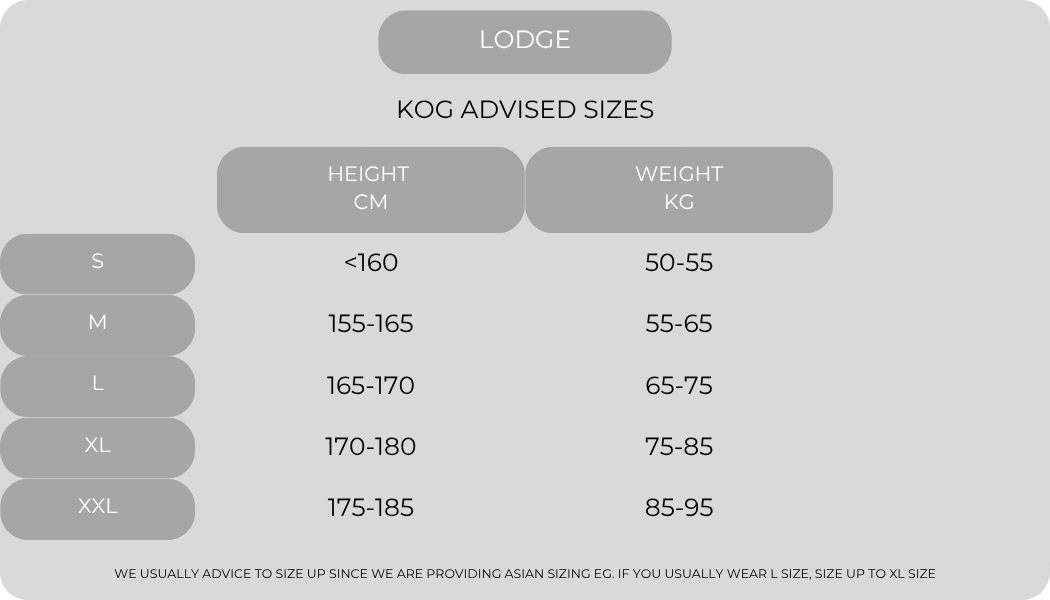
Catalog Item LODGE1200 Apparel | Litbuy spreadsheet | Hubbuycn spreadsheet | LoongBuy spreadsheet - 152120
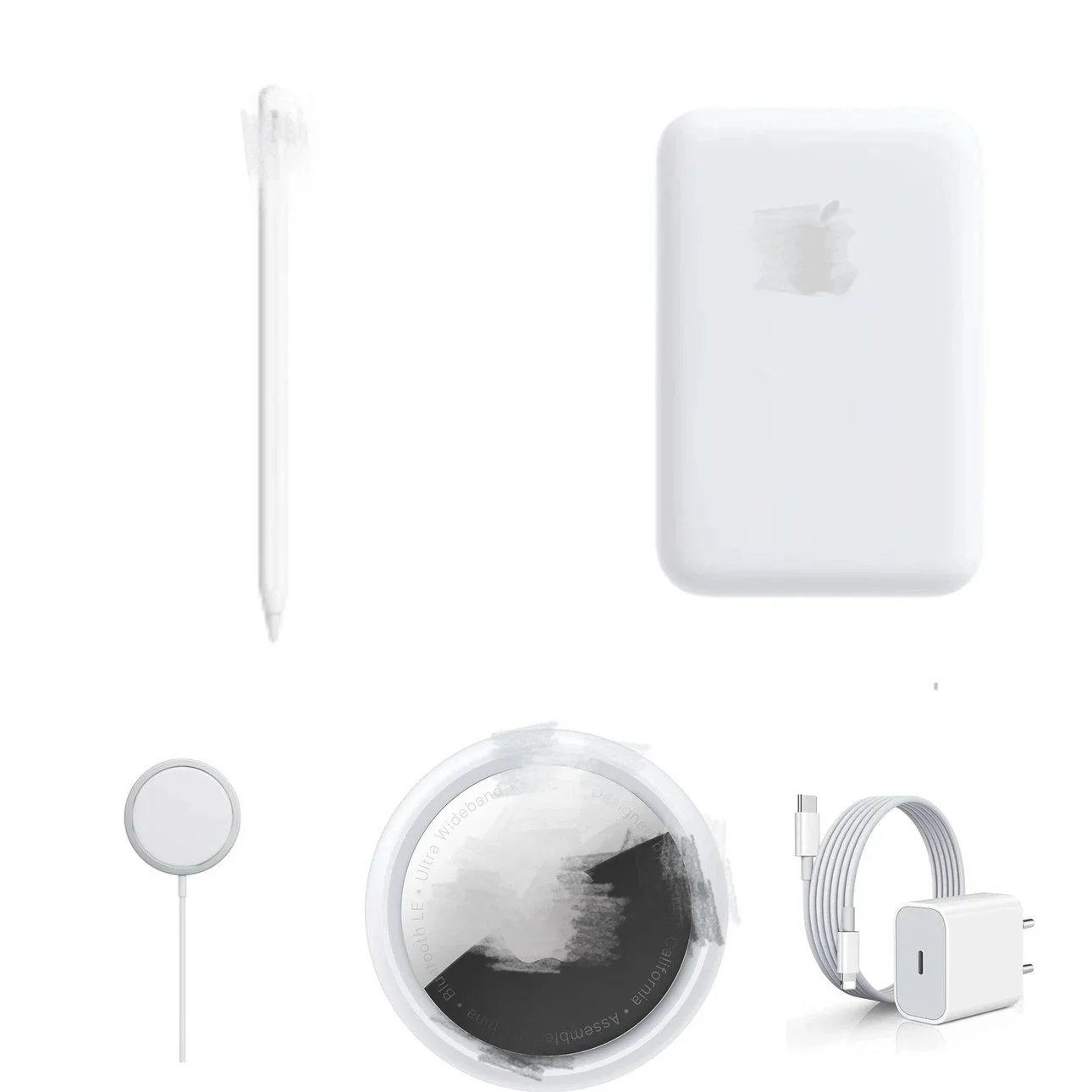
AP Charging and Electronics Accessories Selection | Fishgoo spreadsheet | Sugargoo spreadsheet - 149985

Rick Owens Apparel - Pants | Hipobuy spreadsheet | Oopbuy spreadsheet - 157607

Corteiz Apparel - Pants | Fansbuy spreadsheet | Sugargoo spreadsheet | BBDBuy spreadsheet - 157474