Cafans Journal
Stories & FindsVigorBuy CAFANS Guide: The Complete 1,000-Word Shopping Handbook
If you have been searching for a straightforward VigorBuy guide, you are in the right place. This CAFANS handbook walks you through everything a new or returning shopper needs to know about the VigorBuy platform — from setting up an account to tracking orders — and shows you how a well-organized VigorBuy spreadsheet can transform the way you shop. Whether you are buying everyday essentials, seasonal goods, or gifts, the principles below will help you spend wisely and shop with confidence.
What Is VigorBuy?
VigorBuy is an online shopping platform that connects buyers with a wide range of product categories, including apparel, home goods, electronics accessories, kitchen tools, beauty items, pet supplies, and outdoor gear. The platform is designed around simple browsing, transparent pricing, and convenient order management. For newcomers, the most important first step is understanding how the catalog, search tools, and checkout flow work together. A good VigorBuy shopping guide should always start with the basics: create your account, complete your profile, add a default shipping address, and link a preferred payment method. Doing this early saves time later and reduces the chance of checkout errors.
Using the VigorBuy Spreadsheet
One of the most practical habits you can adopt is maintaining a VigorBuy spreadsheet. Think of it as your personal shopping command center. A simple spreadsheet can track product names, prices, sizes, colors, sellers, order dates, delivery estimates, and return deadlines. When you collect VigorBuy product links during browsing, paste them into a dedicated column so you can revisit items without losing them in a sea of browser tabs. Add columns for priority level, budget cap, and whether an item is a need or a want. Over time, your spreadsheet becomes a living record of your spending patterns, helping you spot duplicate purchases and avoid impulse buys. Many experienced shoppers also color-code rows by category, such as clothing, household supplies, and gifts, which makes filtering and sorting much faster.
Finding the Right Products
Search results on any marketplace can feel overwhelming, so a reliable VigorBuy shopping guide should explain how to narrow them down. Use specific keywords rather than broad terms, and combine filters for price range, ratings, and shipping options. Check product descriptions carefully for material, dimensions, and compatibility. Read recent reviews, especially those with photos, because they reveal real-world quality. Compare at least three similar listings before committing, and note the differences in your spreadsheet. When you save VigorBuy product links, include the price at the time of saving — prices shift during promotions, and that historical note helps you judge whether a current deal is genuinely worthwhile.
Budgeting and Avoiding Pitfalls
A disciplined budget is the backbone of smart shopping. Set a monthly ceiling and divide it across categories such as essentials, discretionary items, and gifts. Update your spreadsheet after every order so the totals stay accurate. Watch for common pitfalls: limited-time countdowns that pressure quick decisions, inflated original prices that make discounts look larger than they are, and shipping fees that erase small savings. Always confirm the return window and warranty terms before checkout. If a deal seems too good to be true, cross-check the seller's history and review count. A trustworthy VigorBuy guide will remind you that patience often beats urgency.
Checkout, Shipping, and After-Sales
At checkout, verify the shipping address, selected variant, and payment method one final time. Save your order confirmation and add the order number to your spreadsheet immediately. Track shipments through the platform's order page, and note the estimated delivery window so you can plan around it. If an item arrives damaged or incorrect, contact customer service promptly with photos and your order number. Keep records of all correspondence in a dedicated folder or spreadsheet tab. Prompt, polite communication usually resolves issues faster than repeated follow-ups.
Building a Repeatable Routine
The real power of this system comes from repetition. Review your spreadsheet weekly, prune items you no longer need, and update prices on saved links. Before each new shopping session, check your budget remaining and your priority list. This simple loop — browse, save, compare, budget, buy, record — keeps your spending intentional. Over time, you will notice which categories consume most of your budget and where you can cut back.
Final Thoughts
Smart shopping is not about finding the cheapest item; it is about making informed decisions. With this CAFANS guide, a well-structured VigorBuy spreadsheet, and a habit of collecting VigorBuy product links for careful comparison, you can navigate the platform efficiently and confidently. Start small, stay organized, and let your records do the remembering so you can focus on choosing products that genuinely add value to your life.
Editor's selection
Popular Products
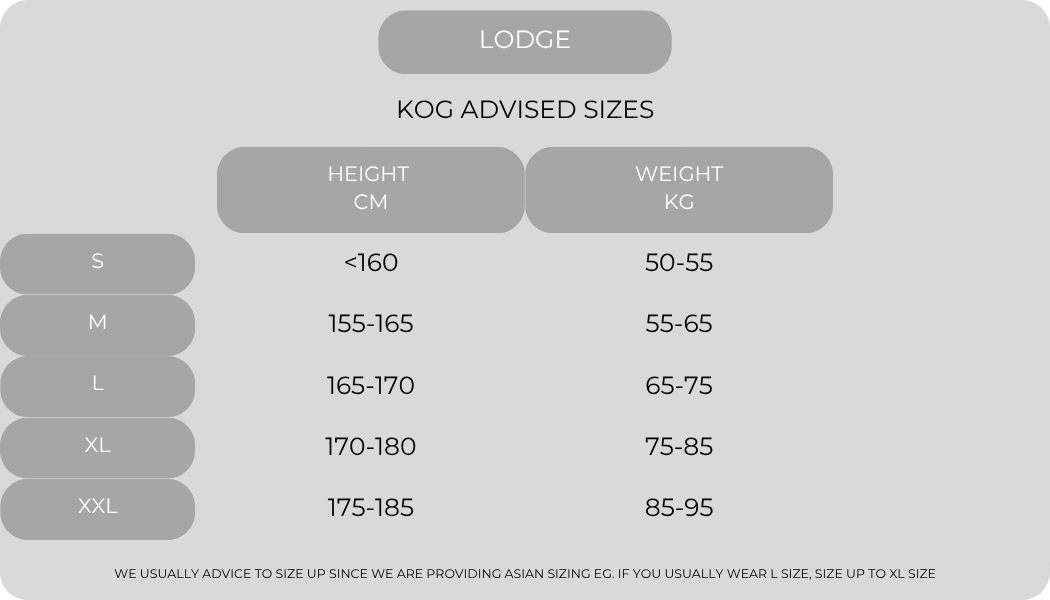
Catalog Item LODGE1200 Apparel | Litbuy spreadsheet | Hubbuycn spreadsheet | LoongBuy spreadsheet - 152120

AP Charging and Electronics Accessories Selection | Fishgoo spreadsheet | Sugargoo spreadsheet - 149985

Rick Owens Apparel - Pants | Hipobuy spreadsheet | Oopbuy spreadsheet - 157607

Corteiz Apparel - Down Jacket | Litbuy spreadsheet | USFans spreadsheet - 156934

Corteiz Apparel - Pants | Fansbuy spreadsheet | Sugargoo spreadsheet | BBDBuy spreadsheet - 157474

Drew Apparel - Denim Jeans | BBDBuy spreadsheet | MyCNBox spreadsheet | CSSBuy spreadsheet - 157460

Chrome Hearts Apparel - Pants | LoongBuy spreadsheet | BBDBuy spreadsheet | CNShopper spreadsheet - 157475