Cafans Journal
Stories & FindsHubBuy Guide: The English CAFANS Shopping Method for Smarter Online Buying
What Is the CAFANS Method and Why Does It Matter for HubBuy Shoppers?
If you have ever opened a shopping app, added ten items to your cart, and then closed it without buying anything, you already understand the problem CAFANS solves. CAFANS is a simple English-language framework for organized online shopping: Collect, Assess, Filter, Align, Narrow, Settle. Used together with HubBuy, it turns chaotic browsing into a repeatable routine. This HubBuy guide walks you through each step and shows how a HubBuy spreadsheet, HubBuy product links, and a disciplined HubBuy shopping guide fit into the process.
Step 1 — Collect: Build Your HubBuy Spreadsheet
Start by creating a HubBuy spreadsheet. Columns should include item name, category, unit price, shipping cost, seller rating, return window, and a priority score from one to five. Every time you find a HubBuy product link you like, paste it into the sheet instead of buying immediately. This single habit removes impulse purchases and gives you a searchable record. Many shoppers keep two tabs: one for essentials and one for wish-list items. The HubBuy guide principle here is simple — nothing enters the cart until it enters the spreadsheet.
Step 2 — Assess: Read Listings Like a Reviewer
Open each saved HubBuy product link and assess the listing carefully. Check the specification table, the material, the size chart, and the warranty terms. Look at verified reviews that mention durability, fit, or customer service. A good HubBuy shopping guide habit is to note the review count and average rating directly in your spreadsheet. If a listing has no measurements or vague descriptions, mark it as high risk. Assessment is where the HubBuy product links you collected either earn their place or get deleted.
Step 3 — Filter: Cut the List in Half
Filtering is the most underrated step. Sort your HubBuy spreadsheet by priority score, then remove anything that fails basic criteria: unclear returns, suspiciously low price, missing seller history, or duplicate function. If you already own a similar item, delete the new entry. This is the core of any honest HubBuy guide — fewer, better items. A HubBuy shopping guide that encourages you to buy everything is not a guide; it is advertising.
Step 4 — Align: Match Items to Real Needs
Alignment means checking each remaining item against an actual need, budget, and timeline. Ask three questions: Do I need this within thirty days? Does it replace something broken? Does it fit my monthly budget? Update the HubBuy spreadsheet with a yes or no for each question. Items with two or more no answers go to a separate wish-list tab. The HubBuy shopping guide approach keeps your main list lean and your decisions defensible.
Step 5 — Narrow: Compare Finalists
Now you should have a short list of three to seven items. Reopen each HubBuy product link and compare total cost, including shipping, tax, and any bundle requirements. Check coupon codes and seasonal promotions. Add a comparison column to your HubBuy spreadsheet for final landed price. If two items are close, choose the one with the better return policy. This is where the HubBuy guide saves the most money, because total cost beats sticker price every time.
Step 6 — Settle: Checkout with Confidence
Settle means completing the purchase without second-guessing. Confirm the delivery address, payment method, and estimated arrival date. Save the order confirmation in your HubBuy spreadsheet and set a reminder to inspect the item upon arrival. If something is wrong, act within the return window. A disciplined HubBuy shopping guide always ends with a follow-up column: delivered, inspected, satisfied, or returned.
Practical Tips for Using HubBuy product links
- Always open HubBuy product links in a fresh tab to avoid losing your spreadsheet.
- Record the date you saved each link; prices change frequently.
- Use color coding in your HubBuy spreadsheet: green for approved, yellow for review, red for rejected.
- Revisit your wish-list tab once a month and delete anything you no longer want.
- Keep a running note of seller names with reliable delivery history.
Common Mistakes to Avoid
The biggest mistake is skipping the spreadsheet and relying on memory. The second is treating a HubBuy guide as a list of things to buy rather than a process for deciding what not to buy. Third, never compare only the displayed price; shipping and returns change the real cost. Finally, avoid saving dozens of HubBuy product links without assessment, because an unread list quickly becomes clutter.
Conclusion
CAFANS works because it separates discovery from decision. HubBuy gives you access to a wide catalog, while the method gives you control over how you use it. Build the HubBuy spreadsheet, assess each HubBuy product link, filter ruthlessly, align with real needs, narrow by total cost, and settle with a clear follow-up plan. Follow this HubBuy shopping guide for a month and you will notice fewer returns, lower spending, and far less regret.
Editor's selection
Popular Products

DS Slippers | Wheebuy spreadsheet | LoongBuy spreadsheet | Lovegobuy spreadsheet - 135724

Accessories | UIDBuy spreadsheet | Fishgoo spreadsheet | Oopbuy spreadsheet - 140922
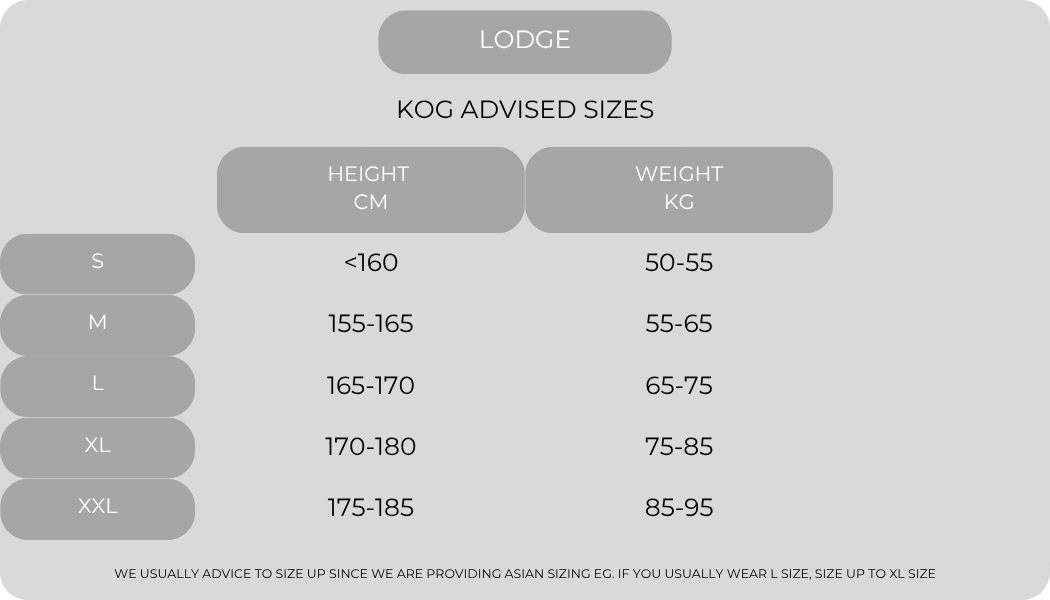
Catalog Item LODGE1200 Apparel | Litbuy spreadsheet | Hubbuycn spreadsheet | LoongBuy spreadsheet - 152120
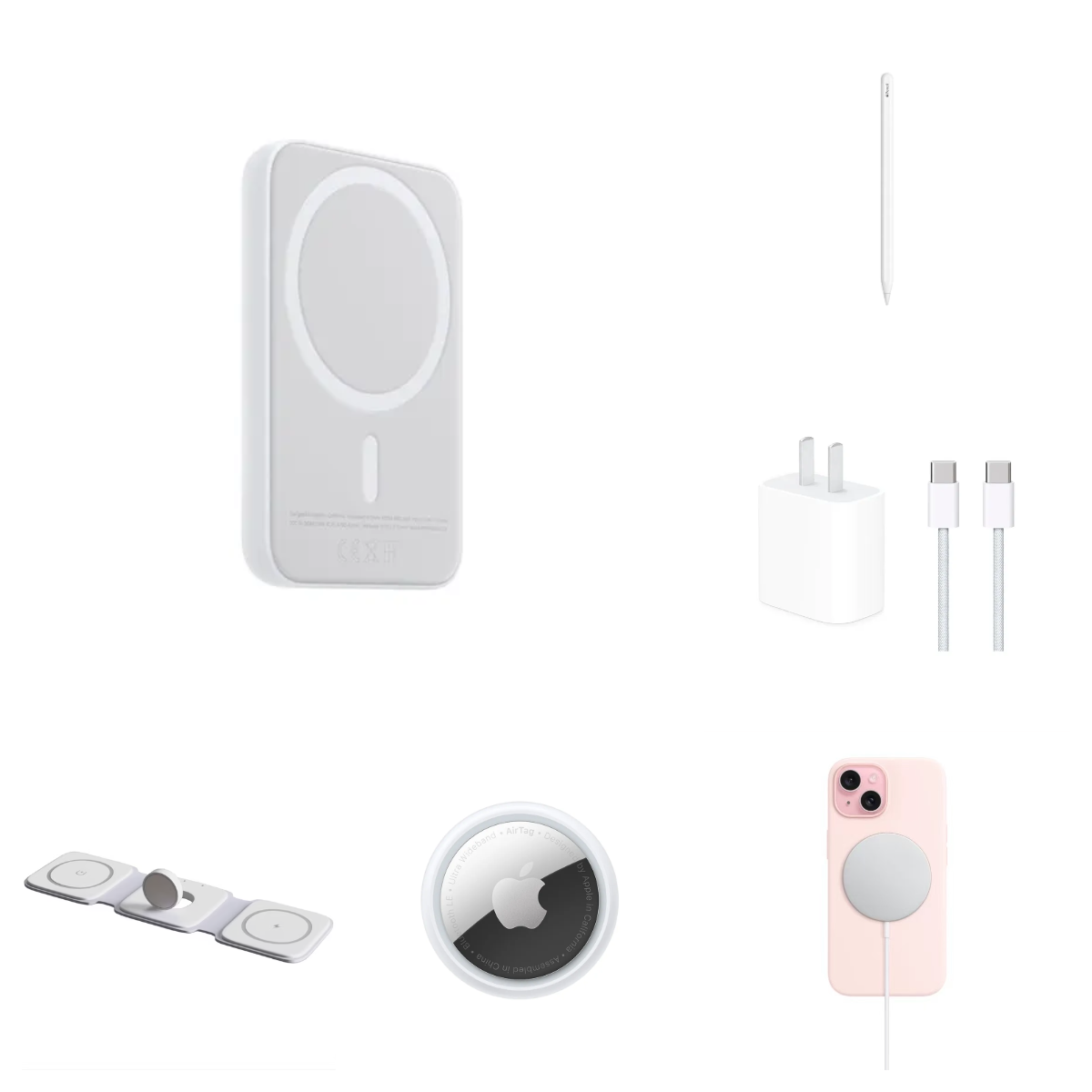
XIAOTEJI Apple-Compatible Chargers and Accessories | Sugargoo spreadsheet | iTaoBuy spreadsheet - 142697
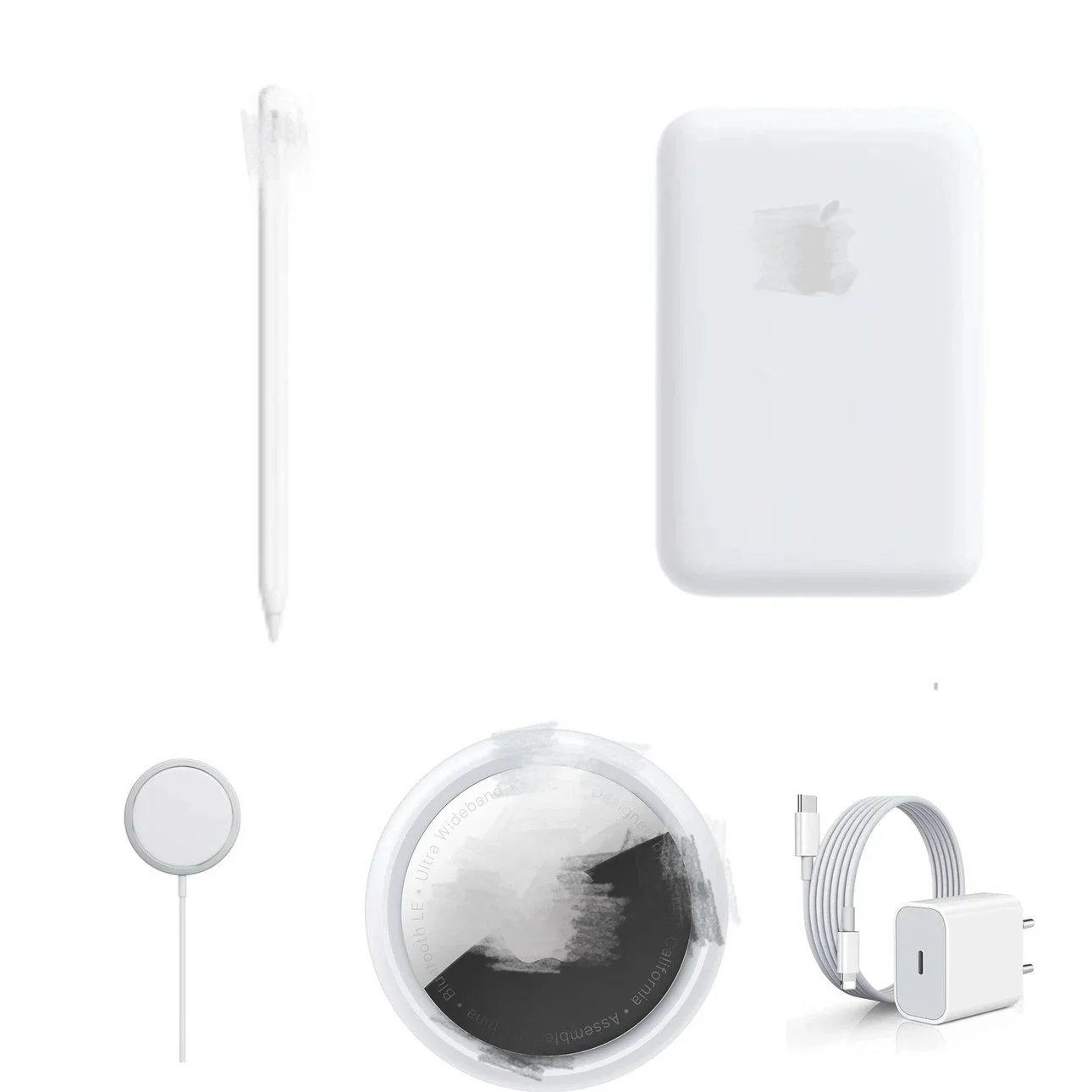
AP Charging and Electronics Accessories Selection | Fishgoo spreadsheet | Sugargoo spreadsheet - 149985

Rick Owens Apparel - Pants | Hipobuy spreadsheet | Oopbuy spreadsheet - 157607

Corteiz Apparel - Pants | Fansbuy spreadsheet | Sugargoo spreadsheet | BBDBuy spreadsheet - 157474
