Cafans Journal
Stories & FindsCAFANS Guide: Using the Superbuy Spreadsheet for Smarter Shopping
If you have spent any time in the replica, streetwear, or sneaker communities, you have probably heard the name CAFANS. It is one of the best-known agent services for buyers who want to order from Chinese platforms such as Taobao, Weidian, and 1688. This CAFANS guide focuses on one of the most useful tools in the ecosystem: the superbuy spreadsheet. Whether you are a first-time buyer or a seasoned hauler, understanding how spreadsheets work will save you time, money, and a lot of frustration.
What Is the Superbuy Spreadsheet?
A superbuy spreadsheet is a shared, community-maintained document that lists product links, prices, seller information, and quality notes. Instead of browsing endless storefronts, you open a spreadsheet and jump straight to items that other buyers have already tested. Most sheets are organized by category, such as sneakers, hoodies, jackets, bags, accessories, and home goods. Many include columns for QC photos, batch names, sizing advice, and shipping weight.
The term is often used loosely. Some sheets are hosted on Google Sheets, others on Airtable, Notion, or a simple web page. Regardless of the format, the goal is the same: a superbuy spreadsheet guide should help you find reliable superbuy product links without guessing.
Why Buyers Rely on Spreadsheets
Spreadsheets solve the biggest problem in agent shopping: information overload. Taobao and Weidian search results are messy, and listings change constantly. A curated sheet gives you a shortlist of proven items. It also helps with price comparison, because you can see the yuan price next to an estimated converted cost. For anyone writing a superbuy shopping guide, the spreadsheet is usually the first recommendation.
Another advantage is community feedback. Good sheets are updated when a seller changes a batch, raises prices, or ships a bad run. That feedback loop is why the superbuy spreadsheet has become a staple of the CAFANS workflow.
How to Use a Superbuy Spreadsheet Step by Step
- Find a trusted sheet. Start with sheets linked from reputable community threads, Discord servers, or subreddit wikis. Avoid random links from unknown accounts.
- Read the legend. Most sheets use color codes for quality tiers, availability, and shipping risk. Spend two minutes learning the legend before you browse.
- Check the date. A sheet that has not been updated in months may contain dead links or outdated prices.
- Copy the product link. Paste the Taobao or Weidian URL into the Superbuy search bar or the agent's link converter.
- Verify the listing. Confirm the size, color, and batch before adding to cart. Never assume the spreadsheet matches the live listing.
- Review QC photos. When your order reaches the warehouse, inspect the QC images carefully. Compare them to the sheet's reference photos.
- Consolidate and ship. Combine multiple items to reduce shipping costs, then choose a line that matches your budget and timeline.
Reading the Columns Correctly
A typical superbuy spreadsheet guide will explain the common columns: item name, seller, price in CNY, weight, batch, and notes. Weight matters because international shipping is charged by mass. A heavy hoodie can cost more to ship than the item itself. Batch names matter because two sellers may offer the same model at different quality levels. Notes often flag issues such as narrow sizing, delayed dispatch, or inconsistent stitching.
Do not treat the spreadsheet as gospel. It is a starting point, not a guarantee. Sellers change materials, factories switch batches, and listings get recycled. Always cross-check the live product page.
Superbuy Product Links and Link Conversion
Many sheets provide raw Taobao or Weidian links. Superbuy can convert these into agent links automatically. If a link fails, try removing tracking parameters or searching the item ID directly. Some sheets include alternate links for the same product, which is useful when one listing sells out.
Keep a personal spreadsheet of items you have ordered, including the date, price, size, and QC result. This personal log becomes your own mini superbuy spreadsheet over time.
Common Mistakes to Avoid
- Buying from an outdated sheet without checking the date.
- Ignoring weight estimates and getting surprised by shipping fees.
- Assuming every linked item is in stock.
- Skipping QC photos and discovering flaws after international shipping.
- Using unknown links that may lead to scam listings.
Final Thoughts
The superbuy spreadsheet is one of the most practical tools in the CAFANS community. Used correctly, it shortens research time, reduces risk, and helps you build a better haul. Treat it as a living document, verify every link, and combine it with careful QC checks. With this CAFANS guide and a reliable superbuy shopping guide, you can navigate agent shopping with confidence.
Editor's selection
Popular Products

Outdoor Casual Sneakers - Hipobuy spreadsheet - 141223

B22 B30 Unisex Classic Sneakers - UIDBuy spreadsheet - 135717

04 Classic Sneakers - LoongBuy spreadsheet - 135678

P-0100 Unisex Sneakers - Kakobuy spreadsheet - 136114

2025 Skate Sneakers - MyCNBox spreadsheet - 135965

BY03-CY Unisex Chunky Sneakers - Wheebuy spreadsheet - 141219
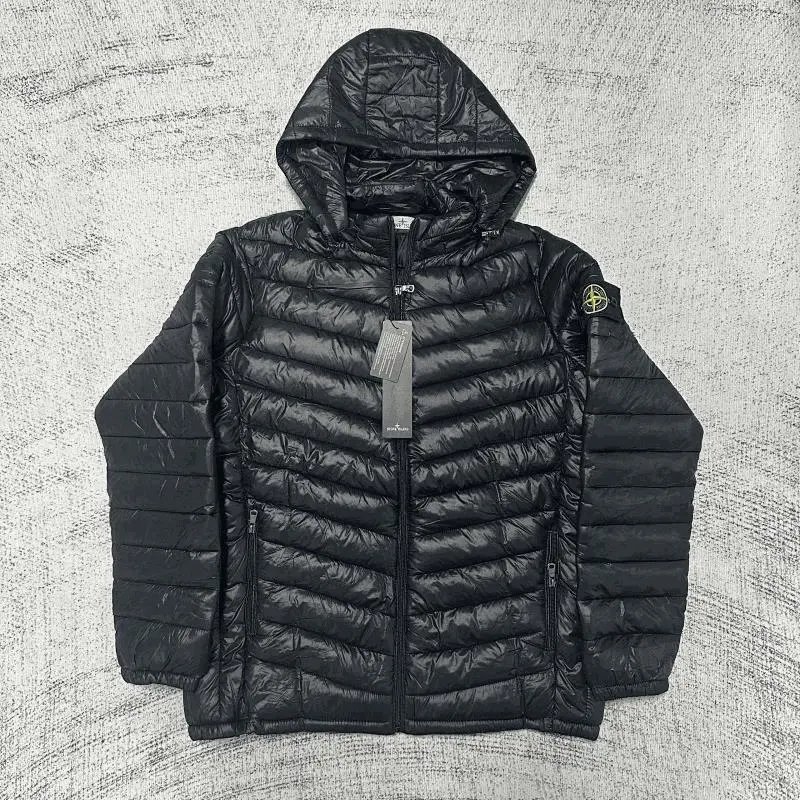
Winter Loose Down Jackets, Sweatshirts and Sweaters 003 - Sugargoo spreadsheet - 141091
